|
| Publisher: |
Gaia Consulting
|
| Version: |
2.0.0.0 |
| Release date: |
May 25, 2018 |
| License: |
Free to try; $175.00 to buy |
| Supported OS: |
Windows WIN7/WIN10 |
| Requirements: |
Development tool for WinForms applications |
| Install support: |
Install and Uninstall |
| Bundled support: |
1 Year online service and updates |
| Language(s): |
English |
| Limitations: |
Trial has some limits (max.10 time blocks) |
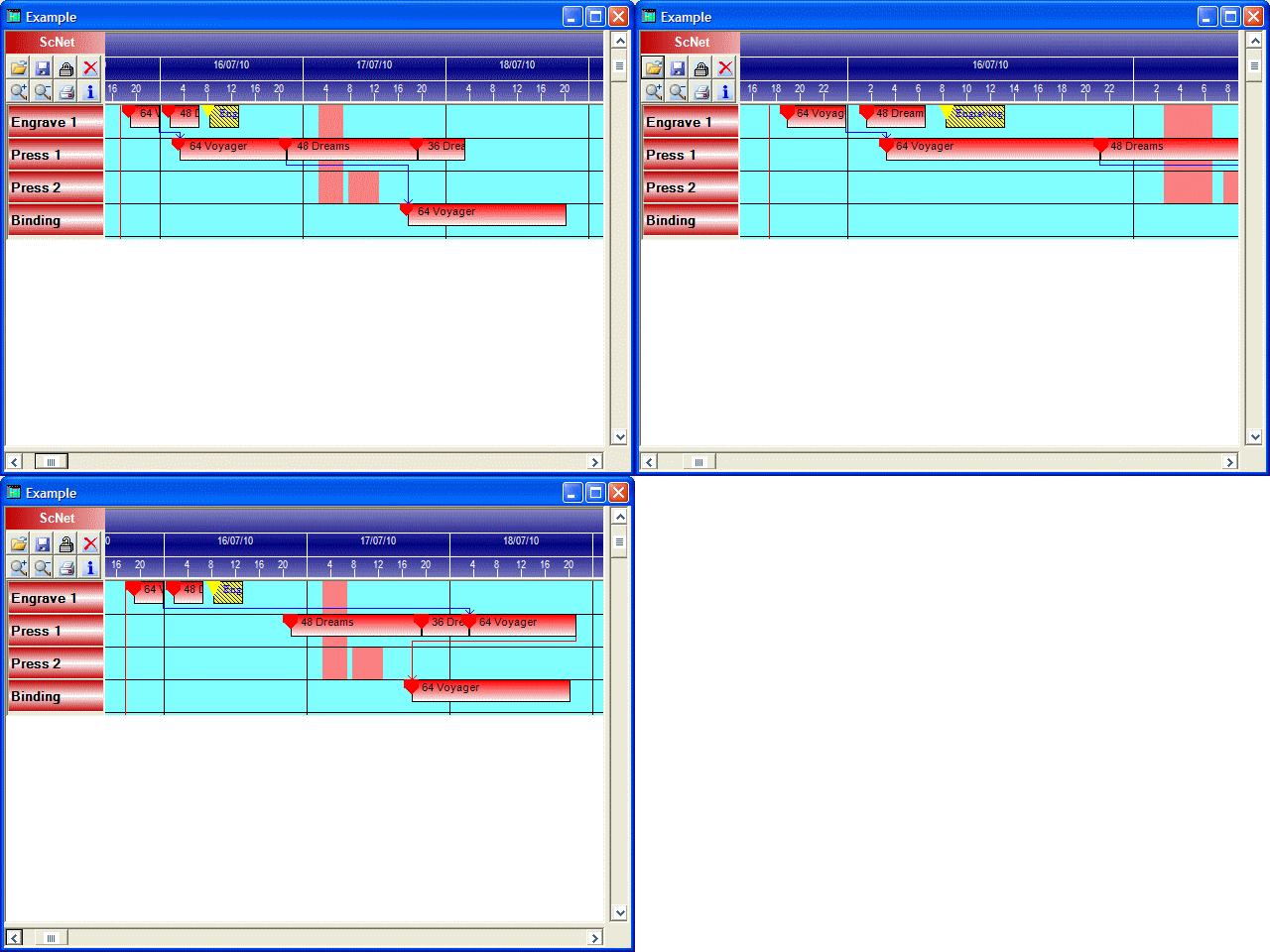
| Screenshot: |
View screenshot |
| Version history: |
View history |
Description:
The ScNet component is designed to build professional applications for job scheduling.
This component has been tested in various development tools (including but not limited to Visual Studio).
This component ensures a fast and easy way to build and manage Gantt projects with few lines of code.
A powerful scheduling algorithm is embedded in the control: forward scheduling with 5 user variables!
No distribution royalties (see the license agreement)!
>>Some key features:
- Over 85 properties, over 35 methods and over 15 events.
- Forward and finite capacity scheduling with 5 user variables
- Combined finite capacity and infinite capacity resource management
- Load balancing on resources of the same group
- Multi resource time blocks management
- Handling of time block sequencing to match logic links and setups
- Open/Save of the gantt projects without writing any code
- Flow chart management (Pert like logical links in the Gantt area)
- Non-work period management: the time blocks automatically stretch on non-work periods
- Time block overlapping management: the time blocks automatically avoid overlapping with other blocks
- Find first free period method: a fast way to know if there is room for a block in a specific resource or period
- Resource grouping management, tooltip personalization, different gantt behavior setting and much more.
- Extensive developer manual complete of all the available procedures .
- Complete sample application in Visual Studio 2008.
>>How to use the component:
- read the license.txt agreement
- view the example (in the ScNetExample directory)
- view the HTML guide (in the ScNetHelp directory)
- remember that the maximun time blocks will be limited to 10 until you download the full version (order required)
- dependences: FrameWork version 3.5 (or later)
>>How to order the component:
- visit our product page and click on the Buy Button of the ScNet component
- write your data in the order forms
- once we receive your order, we will send to you an email with the download link to the full version (and license code)
- open the readme.txt of the full version for installation and registering info
|